Just the right part.
Capture an area, a window, or a screen. Repeat your last area when you need the same view again.
 MainSnap
A LITTLE MORE CLARITY, EVERY DAY.
Capture the part that matters, add a clear explanation, and keep your screenshots organized on your Mac.
01 / Features
Small tools that make everyday explanations easier.
Capture an area, a window, or a screen. Repeat your last area when you need the same view again.
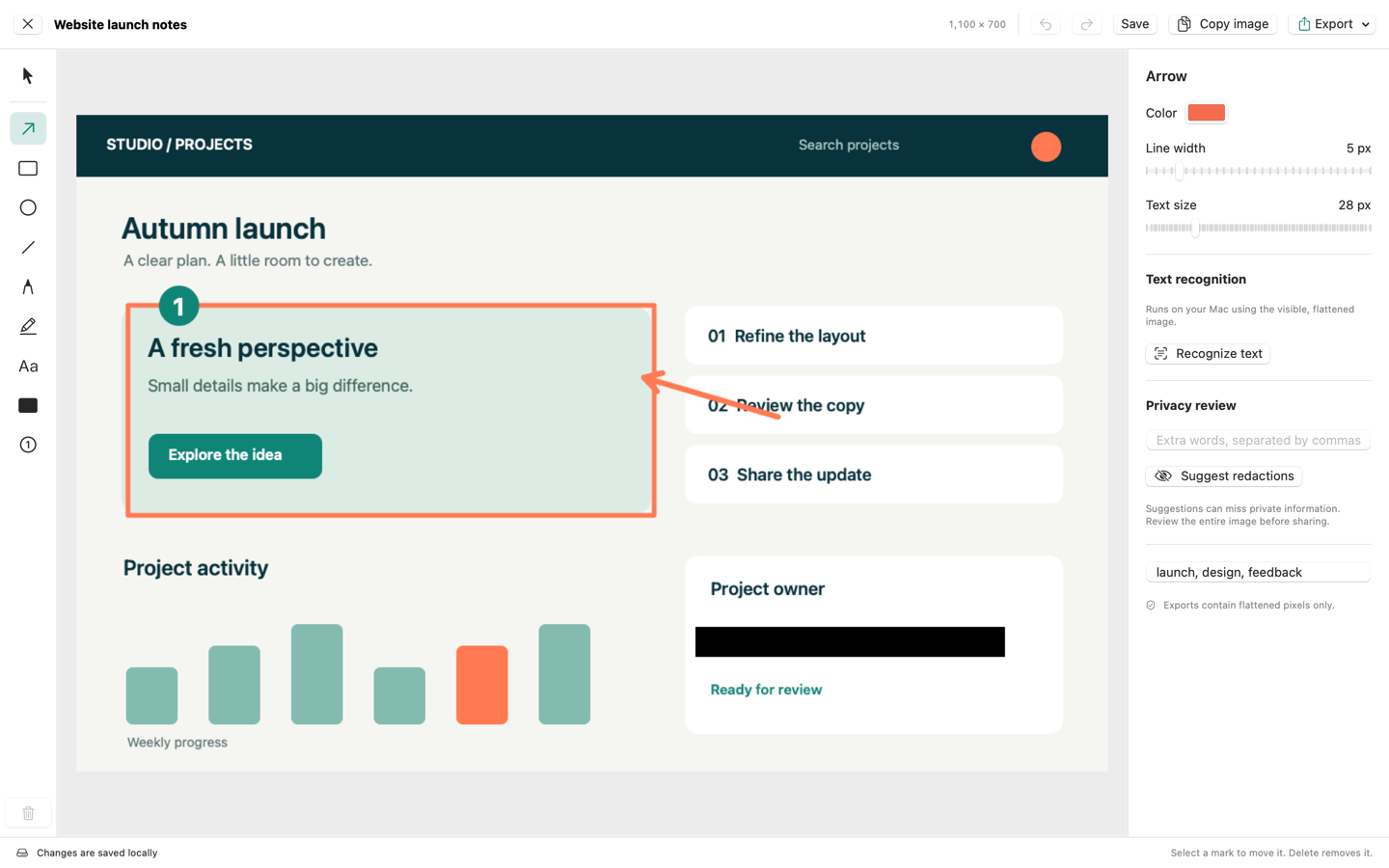
Add arrows, text, shapes, highlights and numbered steps. Reopen saved captures and adjust your annotations.
Cover sensitive pixels in the exported image. Local text recognition suggests things to redact; you decide what to hide.
Recognize text on your Mac and copy it. Export simple tab-separated text for a spreadsheet, then check the result.
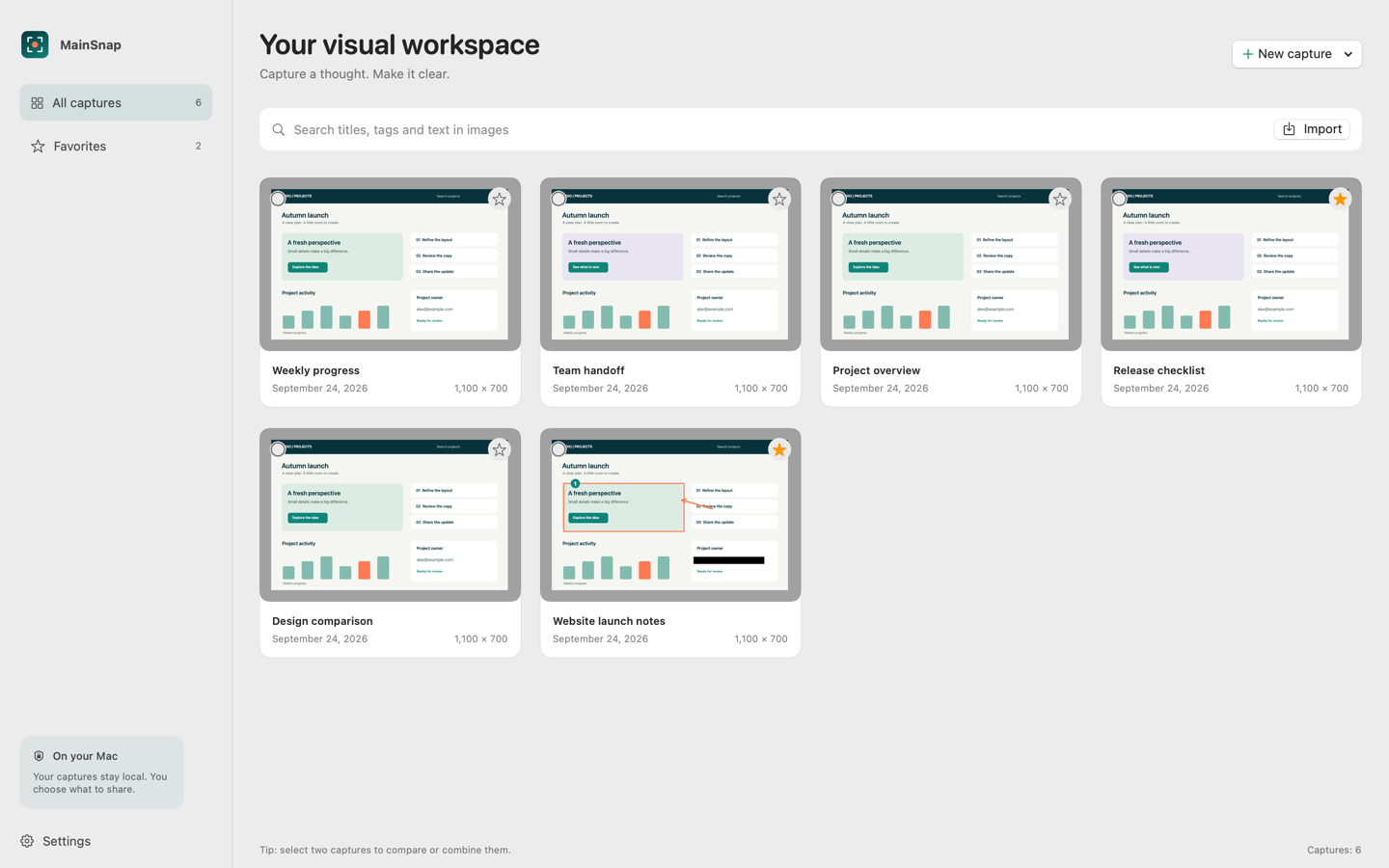
Search your local history by title, recognized text or tags. Keep favorites and choose retention settings.
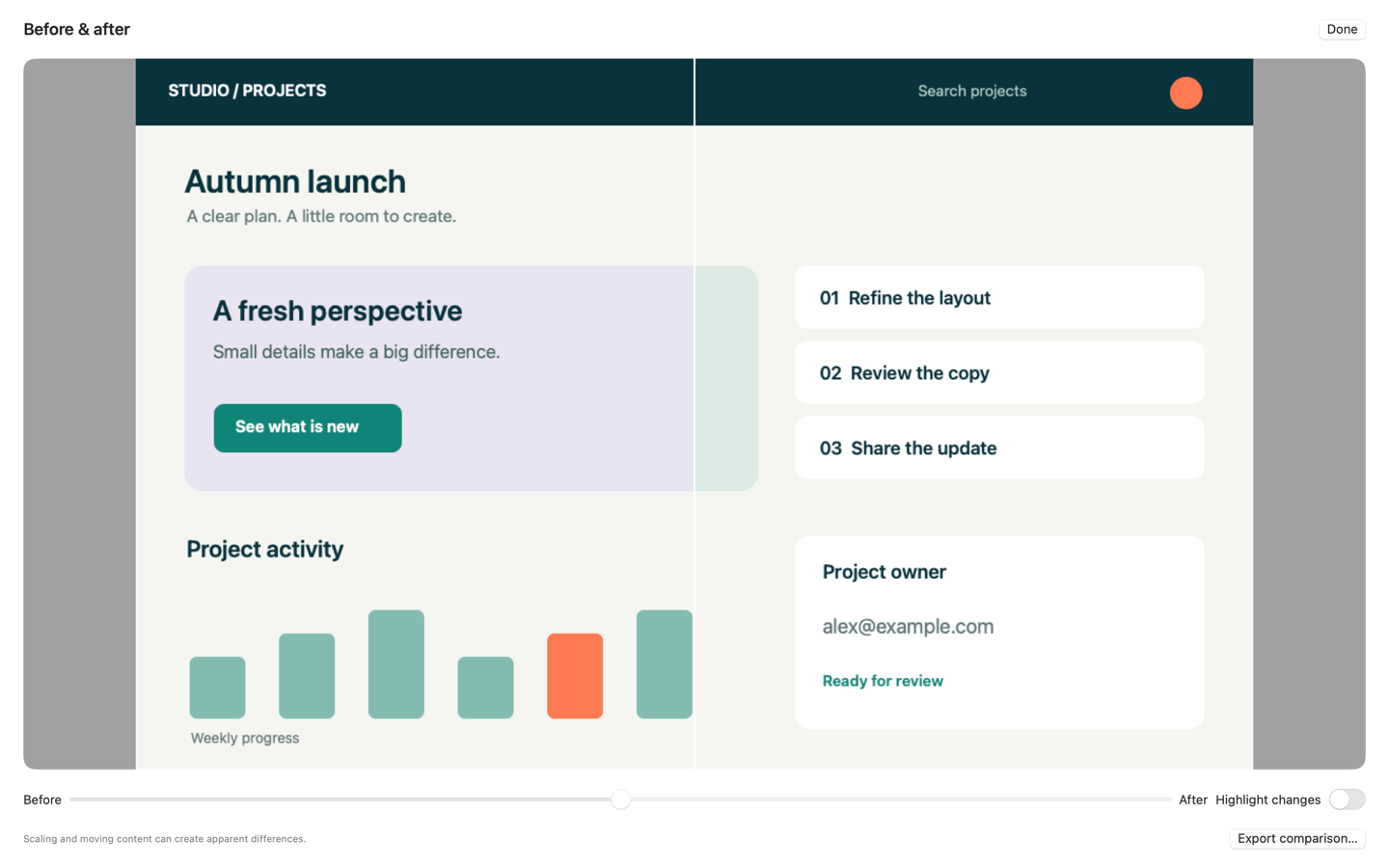
Compare images, arrange a visual guide, or combine captures into a long image after scrolling manually.
02 / How it works
Choose the detail you want to show.
Add annotations or cover private details.
Find it later, copy it, or save an image.
Screenshots, text recognition and your library are processed locally. No account or cloud upload is needed for these tools.
Privacy03 / Pricing
One upfront purchase for the Mac app and its included tools.
One-time purchase
No subscription. No in-app purchases.
Planned price in Germany. Your App Store shows the final price and other currencies.The app is being prepared for macOS 14 or later. Confirm the supported version on the final App Store listing.
Screen Recording permission lets the app capture the area, window or screen you choose. You can change permission in System Settings.
The exported image covers the selected pixels. Your editable local project can still contain the original capture. Check exports before sharing and remove originals you no longer need.
Use manual scrolling and combine the captured sections. This version does not automatically scroll other apps.
It depends on text size, contrast, layout and language. Review recognized text, table structure and suggested redactions before using them.
The app is a paid download from Apple. It has no subscription and no in-app purchase unlock. The final price is shown by your App Store.