

Research often becomes difficult after the reading, not during it. You remember a useful sentence but cannot find the page. A screenshot shows a result without explaining which version produced it. A note contains an attractive claim, yet nobody knows whether it is a quotation, your interpretation, or an assumption that still needs checking. Collecting more material does not solve these problems. Preserving the relationships between material, sources, and conclusions does.
This guide describes a practical research workflow on a Mac. It combines a working clipboard collection with a source register, an evidence ledger, and a reviewable final document. MainClip can help retrieve copied material; it does not automatically create citations, judge sources, read the text inside every file, or turn notes into verified conclusions. The examples below are original, fictional exercises intended to show the method without making claims about real organizations.
Start with the decision the research must support
Before opening another tab, write down the question you need to answer and who will use the answer. “Research help centres” is a topic. “Recommend a clearer first-visit path for our help centre, using evidence from our existing pages and a small usability review” is a bounded task. The second version identifies a decision, a setting, and some likely evidence sources.
Define the deliverable as well. A short recommendation, a technical comparison, a reading list, and a formal literature review need different kinds of support. A clipboard collection can assist all four, but it should not dictate their structure. Decide what the reader needs to inspect: a source link, a method, a worked example, a comparison table, or a clear statement of uncertainty.
Break the question into a small set of subquestions. For the fictional help-centre project, these might be: where does a new visitor start; what information must they have before taking the first action; which labels cause ambiguity; and what evidence would justify changing the order of the steps? These questions help distinguish relevant material from interesting material that belongs in another project.
Write a stopping condition. For example, you might stop the first research pass when each subquestion has an initial answer, at least one supporting source, and a recorded limitation. That is an operational rule for your project, not a universal standard of evidence. It prevents endless collection from masquerading as progress while leaving room to investigate important contradictions later.
Give each tool one clear role
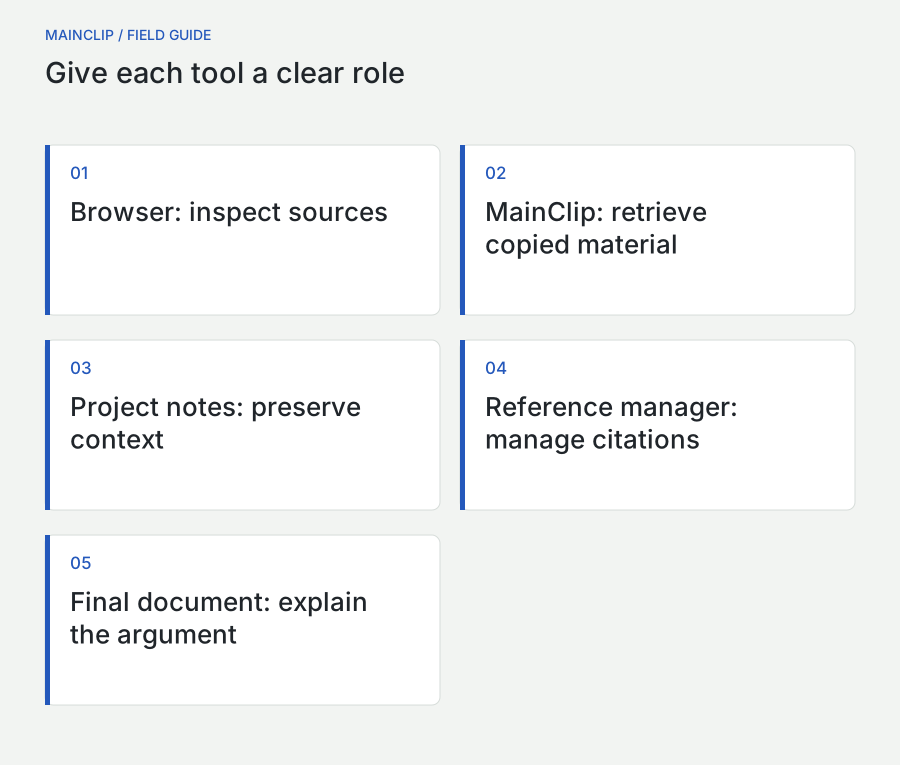
Use the browser to inspect sources, a clipboard manager to recover recently collected material, a source register to preserve identity, and a writing document to develop the argument. If your work requires formal bibliographies, use an appropriate reference manager for bibliographic records and citation formatting. You can combine these tools without asking any one of them to perform every role.
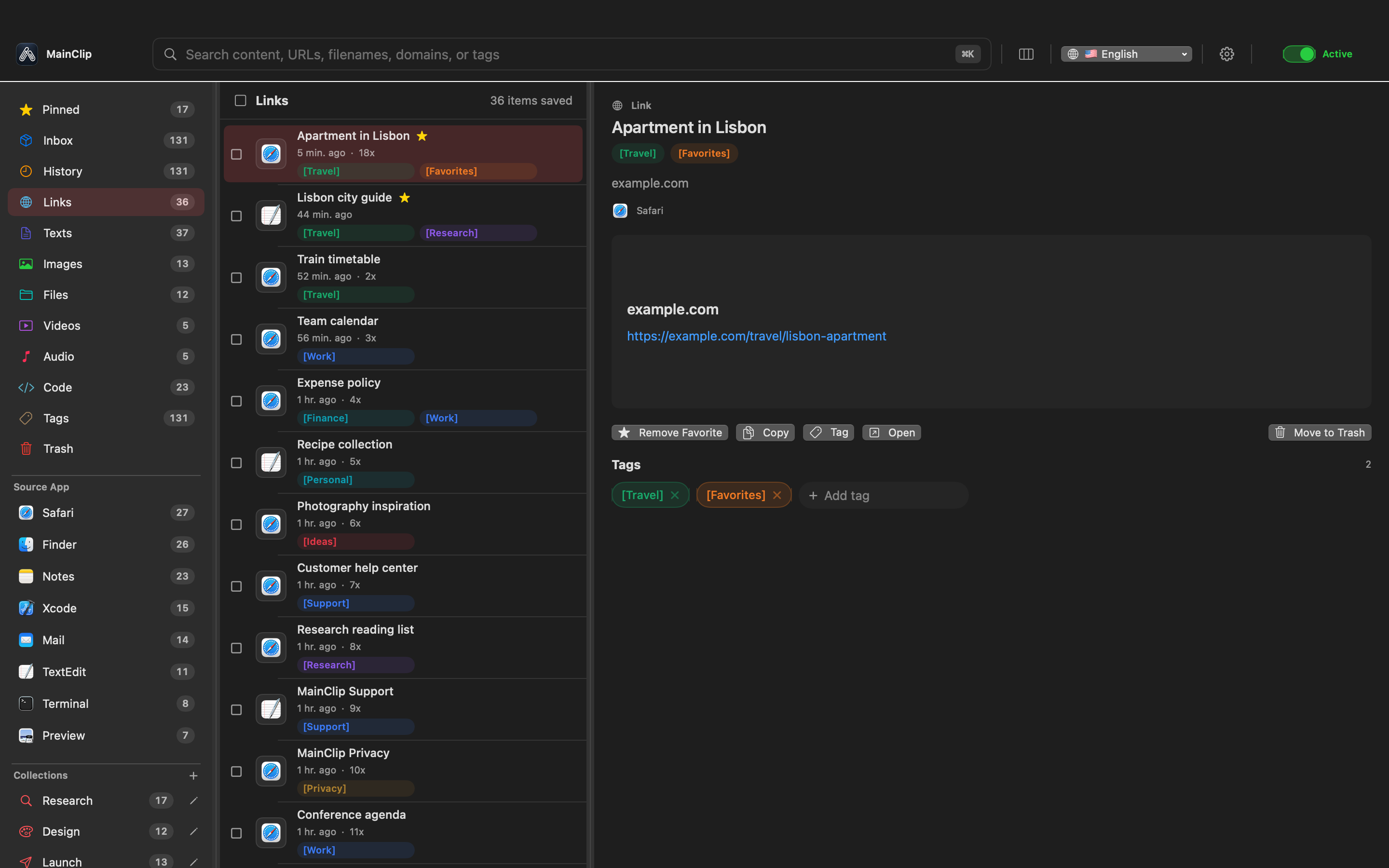
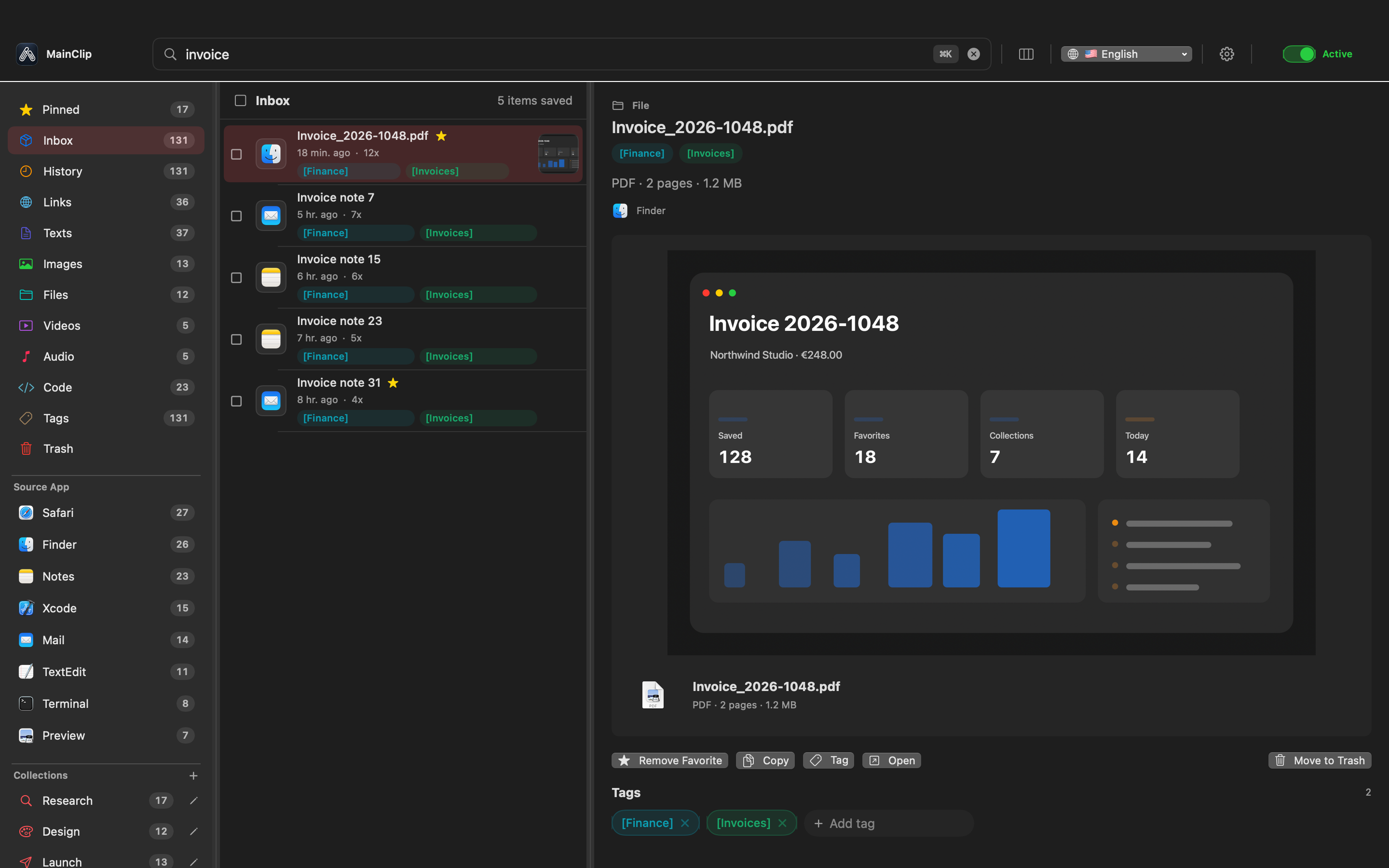
MainClip is useful in the collection layer. Its local history, search, tags, and collections can make copied text, links, images, and files easier to retrieve. A source application's name can help you remember where a copy originated. However, “copied from a browser” does not identify the exact webpage, and a saved sentence does not automatically retain the citation context required by a reader.
Keep the authoritative research notes in a project document or suitable note system. That is where you explain why a passage matters, what it does not establish, and how it connects to the question. A clipboard history may contain fragments from unrelated work. The project document should contain deliberate selections that have been checked and organized for a purpose.
A simple folder can contain a source register, an evidence ledger, a draft, and approved supporting files. These can be separate documents or clearly separated sections of one document. The important distinction is conceptual: source identity, evidence, interpretation, and final prose should remain distinguishable even when they live in the same application.
Choose the smallest arrangement you can maintain. Building an elaborate database before reading three sources is often unnecessary. Begin with a table and stable identifiers. Add structure when a real retrieval or review problem appears. The workflow should reduce forgotten context, not create an additional project of maintaining the workflow itself.
Create a source card before collecting fragments
A source card gives a document or page an identity independent of the individual excerpts you copy from it. Assign a short project-specific identifier such as HC-S01. Record the source title, author or responsible organization, address or file location, publication or revision date when available, and the date you inspected it. Add a short description of why it is relevant.
Include a locator for the specific material you use. A page number, section heading, figure label, or stable heading link helps a reviewer reach the evidence. A homepage URL is rarely enough when the claim comes from a deep page or a particular version of a document. The goal is not a decorative bibliography; it is a route back to the supporting material.
| Field | Purpose | Example from a fictional project |
|---|---|---|
| Source ID | Connect notes without repeating the full citation | HC-S01 |
| Title and owner | Identify the document and responsible party | Visitor setup guide; internal documentation team |
| Version or date | Separate current and older statements | Revision recorded during the project review |
| Locator | Find the exact passage | Section: choosing a workspace |
| Access context | Explain how the source was inspected | Internal staging copy, desktop layout |
| Relevance and limit | State what the source can support | Shows instructions, not evidence of user comprehension |
Do not invent missing fields. If the document has no visible revision date, write “date not stated” and preserve your access date separately. If an author is unknown, identify the responsible organization only when that is actually supported. A complete-looking source card filled with guesses is less useful than an honest card that exposes gaps.
For a small project, the card can be one row plus a short note. For a complex source, allow more room for versions and context. Keep the source ID stable even if the title changes, so links from your evidence ledger do not silently break during editing.
Collect in a short, repeatable loop
Use a loop with four actions: identify the source, collect the relevant fragment, attach context, and decide its status. Do these close together. Delaying context until the end of the day creates a pile of sentences that all look familiar but are difficult to attribute. A few words recorded at collection time can prevent a much longer reconstruction later.
Begin by saving the source address or document identity in your register. Then copy only the passage needed for the current subquestion. Put a locator and a short note beside it in the project document. Label the passage as a quotation, paraphrase, observation, or open question. This makes its intended use visible before it reaches the draft.
MainClip can help recover the copied link or passage if you switch windows or overwrite the current clipboard with the next item. Use a distinctive phrase, domain, source application, or tag to retrieve the saved clip. Still verify the source card when reusing it. A convenient search result is a retrieval aid, not proof that the fragment supports the claim you now want to make.
At the end of the loop, decide whether the item is usable, needs checking, or belongs outside the project. Do not give every collected fragment the same status. An unverified note can remain valuable as a lead, but it should not look identical to evidence that has already been inspected. The status should travel with the item into later review.
Try the loop on three sources before scaling up. If you cannot return to the exact passage for each, improve the source card now. Adding hundreds of clips to a weak structure makes the weakness larger. A small successful test is a better foundation than a large collection assembled without provenance.
Do not confuse a source application with provenance
Knowing that a passage was copied from a browser, PDF reader, or messaging application can be helpful. It narrows the search and reminds you of the surrounding workflow. It does not tell a reviewer who wrote the words, which document version contained them, or whether you copied an original source or a quotation repeated elsewhere.
For a webpage, save the exact address and meaningful page title. For a PDF, record the document's title and page locator, not merely the local filename. For a message or internal note, preserve the author, date, and authorized context in the appropriate project system. Do not move private correspondence into a public source list to make the citation look complete.
Watch for copied material that already quotes another source. If a blog summarizes a research paper, your note should distinguish the blog's interpretation from the paper's findings. When the underlying source is important to the decision, inspect it directly where access permits. If you cannot inspect it, record that limitation instead of writing as if you had.
Titles and filenames are also imperfect identifiers. Several documents can be named “Guide final,” and a single webpage can change while keeping its address. Add version information and a locator when those distinctions matter. The amount of context should match the risk of confusion in the particular project.
A useful self-test is to hide the clipboard app and read only the source card. Could another authorized reader find the material and understand why you used it? If not, the card still depends on your memory. Improve it before the fragment becomes part of the argument.
Use a small vocabulary for tags and status
Start with tags that answer a retrieval question. A project tag groups the work. A topic tag distinguishes the subquestion. A status label tells you whether the item needs checking or is ready to use. Avoid creating a new tag for every appealing phrase. Too many near-synonyms make retrieval depend on remembering exactly how you felt when you saved the item.
For the fictional help-centre project, useful topic labels might be “starting-point,” “requirements,” and “navigation.” A separate status vocabulary might be “to-check,” “supported,” and “excluded.” These are proposed project conventions, not built-in MainClip workflow states. Apply them consistently in your notes and, where useful, in the tags available in your clipboard collection.
MainClip's user collections can use rules based on fields such as tags, content, domain, source application, and type. Use that capability for retrieval, while keeping the evidence decision in the project record. A rule that gathers clips from a documentation domain cannot determine whether every gathered statement is relevant or current.
Review the vocabulary after the first research session. If two tags mean the same thing, choose one and normalize the project. If a tag has no effect on any search or review step, remove it from the convention. Organization should make a future question easier to answer; it does not become useful merely by being elaborate.
Keep temporary leads out of the final evidence view. You can preserve them without granting them authority. This distinction is particularly useful during broad discovery, when a memorable claim may turn out to be old, unsupported, or irrelevant. A good system lets you remember the lead and its rejection reason without accidentally reintroducing it into the conclusion.
Separate quotation, paraphrase, and interpretation
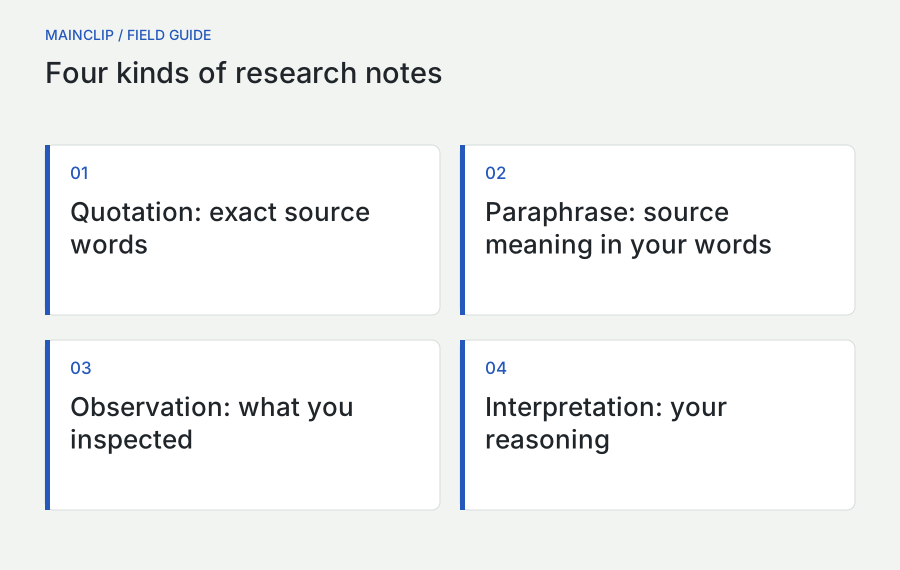
A quotation preserves a source's actual words. A paraphrase expresses a source's meaning in your own language. An interpretation explains what you think the evidence implies. These are different contributions, and the reader should be able to tell which one is present. Mark the distinction in research notes before drafting, when the original passage is still easy to inspect.
For a quotation, retain the source ID and precise locator next to the excerpt. Keep quoted material no longer than necessary for the point. For a paraphrase, write from your understanding, then compare it with the source for accuracy. Changing a few words while preserving the sentence's structure is not a substitute for understanding the claim and its limits.
For an interpretation, state the reasoning step. Suppose a fictional instruction page introduces a workspace before explaining how to create one. Your observation is about the page's sequence. Your interpretation might be that a first-time reader could lack a needed prerequisite. That does not prove that users actually fail at that point. A user observation or test would be a different kind of evidence.
Use explicit labels in the evidence ledger when the distinction could disappear during editing: “source statement,” “observed interface behavior,” “our inference,” and “unresolved question.” The final prose can be more natural, but the underlying record should retain the distinction. That makes it easier to revise an interpretation without rewriting what the source actually said.
Never allow an attractive paraphrase to grow stronger than its source. “May help in this setting” should not become “always improves productivity.” A result from one context should not silently become a universal rule. Review the strength of verbs and qualifiers when transferring a note into the final draft.
Assess what each source is qualified to show
A source's usefulness depends on the question. Official product documentation is well placed to describe an intended feature. It is not independent evidence that every user finds the feature easy. A support ticket can reveal a real difficulty but may not represent the whole user population. An interview can explain one person's reasoning without establishing how frequently that reasoning occurs.
Record the relationship between source and claim. Instead of labeling a source simply “good,” write “appropriate for current command names” or “useful example of a failure, frequency unknown.” This is more informative because the same source can be strong for one purpose and weak for another. It also helps a reviewer challenge the reasoning without discarding everything the source contains.
Look for the underlying method when a source presents a finding. What was observed, compared, counted, or tested? Who was included? Which conditions mattered? If those details are absent, record the claim as a lead rather than filling in a method you wish the author had used. A polished chart is not a substitute for knowing what its measurements mean.
Consider incentives and scope without assuming dishonesty. A vendor has useful knowledge about its product and an interest in presenting it favorably. A competitor comparison can contain accurate details while choosing favorable criteria. Note the perspective, verify decision-critical claims, and avoid turning either trust or suspicion into an automatic rule.
For this workflow, “primary source” means material directly responsible for the fact you are using: the product's own documentation for a command, the original study for its reported findings, or your documented observation for the interface behavior you saw. It does not mean that every primary source is complete, independent, or sufficient for every conclusion.
Track dates, versions, and changing facts
Some research concerns stable concepts; other research concerns features, prices, policies, and interfaces that change. Mark volatile claims so that the final review gives them special attention. A product comparison written from old notes can become inaccurate even when every quotation was copied faithfully at the time.
Separate publication date, revision date, and access date. A page can be published years ago and updated recently. Your access date records when you saw it, not when the information first became true. If a visible revision history exists, note the version relevant to the claim. If it does not, say what you can establish and avoid inventing a precise update timeline.
For application behavior you test yourself, record the application version, operating-system version, and conditions that matter. A screenshot alone rarely carries all of that context. The same feature can differ between account types, platforms, languages, or settings. You do not need to record every machine detail, only enough to make the observation interpretable.
Before publication, revisit the sources supporting the most changeable claims. Update the evidence ledger and the draft together if something has changed. Do not silently replace a source while leaving a conclusion based on its earlier contents. The reader should receive an argument supported by the version you actually checked.
For an ongoing project, add a “recheck before use” field to volatile items. This is a reminder, not a scheduled monitoring service. If you need ongoing monitoring, arrange it explicitly through an appropriate process. A saved link in a clipboard history does not tell you when its target has changed.
Build an evidence ledger from claims, not from tabs
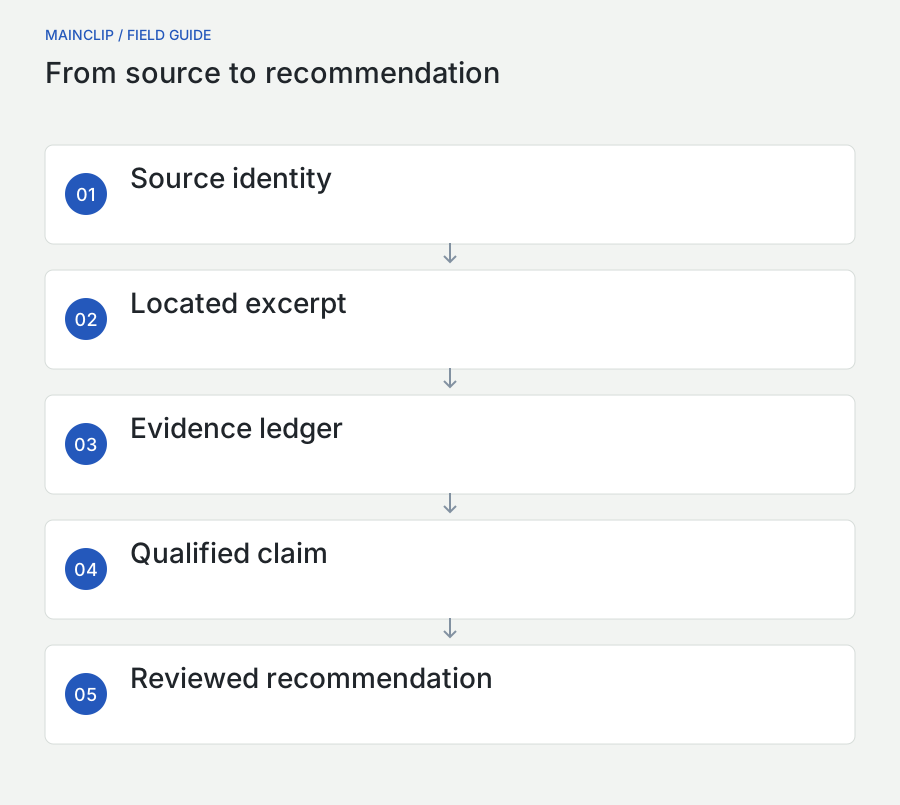
A source register answers “what did we read?” An evidence ledger answers “what supports this statement?” Organize the ledger around the claims you may put in the deliverable. Assign a claim identifier such as HC-C03, write the proposed statement, link supporting source IDs, and record limitations or conflicting evidence.
| Claim field | Question it answers |
|---|---|
| Proposed statement | What exactly might the final document say? |
| Evidence and locator | Where can a reviewer inspect the support? |
| Evidence type | Is this documentation, observation, quotation, or inference? |
| Counterevidence | What makes the statement less certain or less general? |
| Scope | Which version, audience, or setting does it cover? |
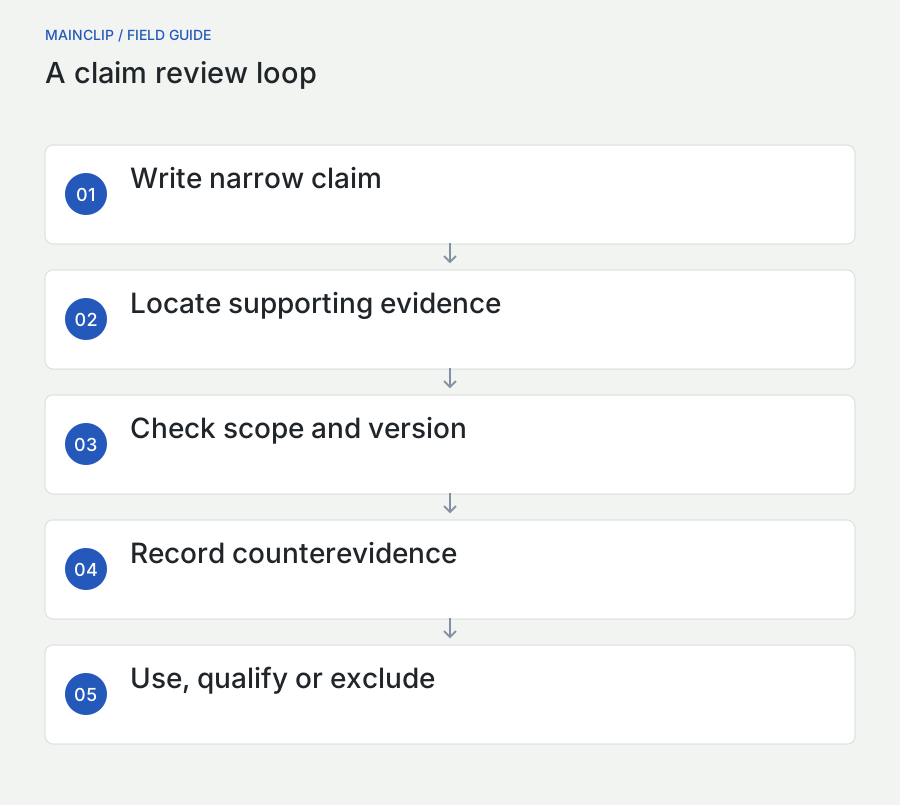
| Decision | Use, qualify, investigate, or exclude? |
Write claims narrowly enough to test. “The help centre is confusing” bundles many possible observations into a judgment. “The first setup page uses a term before defining it” can be inspected. A later recommendation may draw on several narrow observations, but preserving them separately makes the reasoning easier to review.
Allow one source to support several claims and one claim to require several sources. Avoid forcing a one-to-one relationship just because it makes the table tidy. A recommendation about navigation might depend on a documented sequence, an interface observation, and a user comment. The ledger should make their different roles visible.
When a claim is unsupported, leave it unresolved or remove it. Do not search only for a sentence that appears to agree with your preferred conclusion. The ledger should improve the argument by exposing gaps, not serve as a decoration added after the decision has already been made.
Handle disagreement without averaging it away
Two sources can disagree because they describe different versions, audiences, definitions, or methods. Start by checking those boundaries. A guide for experienced users and a first-time-user observation may both be accurate while addressing different needs. A feature page and a hands-on test may refer to different settings. Clarify the context before declaring one source wrong.
Write the conflict in a neutral sentence. For example: “The instructions describe this action as available from the first screen; our recorded test did not show it before setup was complete.” Then list possible explanations and the next check. This creates a research task rather than an argument about which source you prefer.
If you cannot resolve the disagreement, preserve it in the deliverable where it affects the decision. A qualified recommendation can be more useful than a falsely decisive one. Explain which condition your recommendation assumes and what evidence would change it. This gives the reader a way to act without pretending uncertainty has vanished.
Do not average unlike measurements or count repeated summaries as independent evidence. Several pages repeating one original claim do not necessarily provide several separate observations. Trace the chain when it matters. A source map can reveal that apparently broad agreement comes from a single underlying statement.
Keep rejected explanations in a brief decision note if they are likely to reappear. “Excluded because it describes the previous interface” prevents the same attractive screenshot from returning in the next draft. You do not need to preserve every dead end, but documenting important exclusions can save substantial rework.
Use screenshots and OCR as evidence with context
A screenshot is useful when layout, wording, or a visible sequence matters. It is less useful as a substitute for source identity. Record the source ID, date, application or page version where relevant, and what the image is meant to demonstrate. A crop should keep enough context to make the observation understandable without exposing unrelated information.
MainSnap can capture and annotate the relevant visual material. Use a numbered marker or an arrow to direct attention to the exact observation. Keep annotations descriptive: “term appears here before its definition” is more precise than “bad design.” Preserve the distinction between the original interface and the explanation you added.
Text recognition can make words in an image easier to work with, but recognized text needs checking. Compare identifiers, dates, punctuation, and line order against the image before using them as evidence. MainSnap provides local text recognition; MainClip does not provide OCR. Copying recognized text into a history does not itself verify that recognition was correct.
For sensitive material, prepare a reviewed sharing copy. A flattened redacted export and an editable source serve different purposes. Keep the source in its authorized location, and do not assume that marking a region visually in an editable document has removed the original information from every saved representation.
Give each figure a caption that states both its observation and its boundary. “The setup page shown in the reviewed build introduces this term before the explanation below” is useful. “This proves the product is unusable” overstates what an image can establish. A figure should make a claim easier to inspect, not make it larger than the evidence permits.
Hand formal references to a reference manager
When the deliverable requires formal citations, use a reference manager for that role. Zotero's documentation describes bibliographic records, collections, tags, notes, and word-processor citation integration. Those functions complement a clipboard collection rather than duplicate its short-term retrieval role. See Zotero's official quick-start guide for the supported workflow.
Zotero also recommends capturing bibliographic information from an appropriate primary page when possible and checking imported metadata. Its adding-items documentation explains the available collection methods. In your project, connect the resulting reference record to the source ID used in the evidence ledger so the two systems remain aligned.
A citation manager can format a record; it cannot make an unsupported claim true. Verify the author, title, date, and locator that matter to the argument. Check that the cited item is the work you actually inspected. If your note came from a summary of another work, resolve that distinction before presenting the original as if you had read it.
Crossref provides scholarly metadata through search interfaces and other retrieval services. This can help check the identity of a scholarly work, but metadata lookup is separate from reading the work and evaluating its support for a claim. See Crossref's metadata-retrieval documentation for the service's scope.
Keep the handoff small and deliberate. Transfer the source record and the notes needed for the project, not every fragment collected during browsing. Retain your interpretation in the project document with a clear connection to the reference. The finished bibliography should be the visible end of a traceable process, not an assortment of links assembled at the last minute.
Batch work without losing context
Switching between reading, tagging, verifying, and writing can be tiring, but postponing all context work is risky. Use short batches with a minimum capture rule: every useful fragment gets a source ID and locator immediately. Deeper evaluation can happen in a later pass. This preserves the connection while allowing you to stay focused on reading for a limited period.
At the end of a reading batch, process the collected items into three groups: usable evidence, leads needing follow-up, and material outside scope. Write the next action for the follow-up group. “Check whether this applies to the current version” is actionable. “Interesting” is not. MainClip can help retrieve the fragments, while the project record holds these decisions.
During the writing batch, work from the evidence ledger rather than reopening every browser tab. Draft the reasoning in your own words and return to a source when accuracy requires it. This reduces the temptation to stitch copied phrases into a paragraph before deciding what the paragraph actually argues.
Reserve a separate checking pass for quotations, locators, dates, and volatile claims. A writer can become too familiar with a sentence to notice that its source supports only half of it. Reading the claim and source side by side exposes that gap. It also makes it easier to split a sentence into a supported fact and an explicitly labeled inference.
Choose batch sizes that fit the material. Three dense technical sources may require more attention than ten short product pages. Do not measure research quality by the number of tabs processed or clips accumulated. Measure whether the deliverable's questions now have inspectable answers and whether important uncertainties are visible.
Prepare a handoff another person can inspect
A collaborator needs the project question, the current recommendation, the evidence ledger, and access to the sources they are authorized to inspect. They do not need your entire personal clipboard history. Create a bounded handoff containing the selected material and enough context to understand why it matters.
Include a short reading path. Start with the decision question, then the few claims that determine the recommendation, then the important unresolved issue. This lets a reviewer challenge the reasoning efficiently. A folder with dozens of unexplained screenshots forces them to repeat your collection work before they can evaluate the result.
Mark internal or restricted sources clearly and provide the approved access route. If the recipient cannot access a source, explain what can be shared and which conclusion depends on it. Do not silently replace a restricted source with an unsupported public statement merely to make the handoff look complete.
Ask for a specific review. One person might check product-version accuracy, another the strength of the inference, and another whether the instructions are understandable. These are different reviews. A general “looks good” does not establish that every quotation or source link has been checked.
When feedback changes a claim, update the evidence ledger and source context along with the prose. Otherwise, the next reader sees a corrected conclusion supported by an outdated internal record. The handoff should leave the research easier to continue, not dependent on a private conversation that only two people remember.
Keep private research material in its proper place
Research can include unpublished drafts, personal information, internal screenshots, and copied credentials that have nothing to do with the project. Local clipboard storage reduces some kinds of exposure, but it does not make every collected item appropriate to retain or share. Choose capture settings and project destinations according to the material you are authorized to use.
MainClip provides controls such as private mode and application filtering. Use them intentionally around sensitive sources. A missing clip from an excluded application may be the expected result of a privacy decision. Do not disable all exclusions just because a broad collection workflow would be more convenient.
Keep private correspondence and identifiable participant material in the approved project system. If you use a quotation in a deliverable, follow the applicable permission and review process. A copied sentence in a history is not evidence that its author agreed to public reuse. For ordinary internal research, a paraphrased issue description may be sufficient without distributing the original personal details.
Set a cleanup point when the project finishes. Retain the reviewed source register, evidence ledger, final deliverable, and authorized supporting material. Remove temporary duplicates that no longer serve a purpose through the appropriate tools. Remember that backups may still contain earlier copies, so retention decisions should include those locations.
Maintain a usable backup of the project records and, when useful, the clipboard collection. The MainClip backup guide explains the distinction between an archive, a readable export, and a tested restore. The source register should not depend on a history limit retaining every fragment indefinitely.
A worked project: improving a first-visit guide
Imagine a small fictional team reviewing its first-visit help guide. The team wants a recommendation about the order of three setup steps. It has an existing instruction page, a recorded walkthrough of the current interface, and notes from a limited internal review. None of these materials alone proves what every customer will experience.
The researcher creates three source cards, recording the document versions and locators. She collects short passages and relevant screenshots, using MainClip to retrieve copied text and MainSnap to annotate the visual sequence. In the project document, she labels each item as documentation, observation, or reviewer comment. This prevents a comment from being mistaken for a measured result.
Her first proposed claim is too broad: “New visitors cannot complete setup.” The ledger exposes the gap. The material supports a narrower observation: a prerequisite is explained after the step that uses it. The internal review suggests this order may cause hesitation, but it does not establish a population-wide failure rate.
She revises the recommendation: move the prerequisite explanation earlier and test the revised sequence with an appropriate review. The evidence ledger connects the proposal to the page locator, the screenshot, and the limited review note. It also records what remains unknown. The recommendation is concrete without pretending the available evidence is stronger than it is.
A colleague then finds a newer version of the page that already defines the prerequisite in a sidebar. The researcher does not simply discard the earlier work. She updates the version record, checks whether the sidebar is visible in the relevant layout, and revises the claim. The new question concerns placement and visibility rather than total absence.
The final handoff contains the recommendation, the three source cards, the claim ledger, and two reviewed figures. It does not include the researcher's unrelated clips or every tab opened during discovery. Another team member can reproduce the reasoning, challenge the remaining assumption, and continue the project without reconstructing its history from memory.
Handle a source that disappears or changes
A broken link should trigger a review of the evidence, not an automatic deletion of the source card. Preserve the recorded title, owner, locator, and access date. Look for the same document through the responsible organization's current navigation or search. If you find a replacement, check that it supports the same claim rather than assuming a similar title means identical content.
If the source has changed, distinguish the historical observation from the current statement. A screenshot from an earlier reviewed build can still document what that build showed, but it should not illustrate the current interface without a clear date and version. Update the draft according to the question it is answering. Historical comparisons and present-day instructions require different treatment.
If you cannot recover the source, decide whether the claim can remain with an explicit limitation, needs independent support, or should be removed. Do not rebuild a precise quotation from memory. A fragment saved in a clipboard history may help identify the missing source, but it may lack the surrounding context needed to justify the original interpretation.
Keep lawful, authorized supporting copies when they are necessary for your project, and record where they live. A saved local document still needs identity and version information. Avoid turning source preservation into indiscriminate downloading; collect the material needed to support the work and respect the access conditions that apply. The goal is a defensible research record, not a mirror of everything you read.
Three exercises that test the workflow
Exercise one: recover a source without relying on memory
Choose three harmless public sources and collect one useful fragment from each. Create a source card and locator for every fragment. Close the original tabs, take a short break, and return using only the project record. Success means finding the precise supporting passage, not merely reaching the right website. Improve any card that leaves you guessing.
Exercise two: separate a fact from an inference
Take a screenshot of a non-sensitive interface and write three sentences: what is visible, what you think it may imply, and what additional evidence would be needed to test that interpretation. Label the sentences. This exercise reveals how easily a visual observation can become an unsupported judgment when the reasoning step is hidden.
Exercise three: ask someone to challenge one claim
Give an authorized reviewer one claim, its source card, and the relevant locator. Ask whether the source supports the exact wording and scope. Do not ask whether they like the conclusion. If they cannot inspect the support or identify the reasoning step, revise the record. A single focused challenge can reveal a weakness that a broad stylistic review misses.
Use the results to simplify the workflow. Keep fields that prevented confusion and remove conventions that nobody used. The purpose of research organization is to make evidence retrievable and reasoning inspectable. A small, consistently maintained chain from source to fragment to claim is more valuable than a large archive of material whose meaning has been lost.